How to Automate Your Analytics Development and Analysis with AI
6 min read | Published
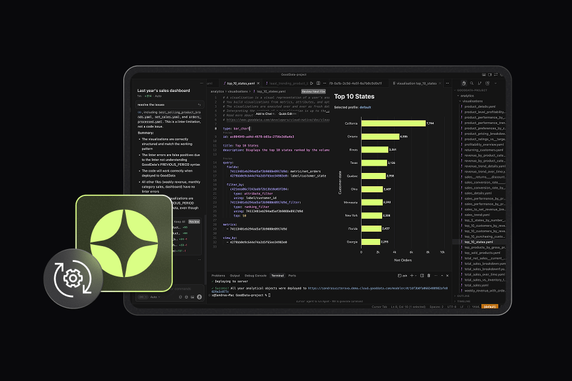

AI is rapidly becoming part of everyday work. Teams want chatbots, IDE assistants, and custom AI agents to work with their data, but doing this securely, consistently, and at scale is challenging. Connecting AI directly to raw databases leads to incorrect results, governance risks, or uncontrolled data access.
The GoodData MCP (Model Context Protocol) Server solves this problem. It enables AI tools such as Cursor, ChatGPT with MCP support, or MCP Inspector to work directly with all the metadata, including metrics, visualizations, dashboards, and the entire semantic layer. This is done in a safe, consistent, and controlled way.
Instead of generating ad-hoc SQL or inconsistent metrics, AI agents reason over trusted, governed analytics.
What AI Enables in Analytics
Different users benefit from AI in different ways. Business users gain easier access to insights, while BI developers and analytics engineers use AI to speed up and automate analytics creation.
Consumers/business users can:
- Chat with their data in natural language via AI assistants/chatbots
- Discover data faster without needing to learn a BI interface
- Easily create ad hoc visualizations by describing them in natural language
- Ask business questions and get quick answers
- Interact with advanced features like key driver analysis
BI developers/analytics engineers can:
- Generate metrics, dashboards, and visualizations automatically
- Accelerate analytics development workflows
- Update models and dashboards faster
- Automate repetitive tasks such as quality checks or metadata updates
- Build fully automated analytics agents
The GoodData MCP Server: A New Step Toward Automated Analytics
The GoodData MCP Server exposes governed analytics to AI tools through a standardized, secure protocol, allowing chat clients, IDEs, and custom agents to work directly with trusted data. Instead of generating raw or ad-hoc queries, AI tools connected to GoodData operate strictly at the metadata level — working with metric definitions, respecting workspace permissions, and relying on the semantic layer. This ensures they understand the structure of your analytics environment and produce consistent, reliable outputs.
The GoodData MCP Server is part of a broader effort to make analytics truly AI-native. For a deeper look at the architectural foundations and design decisions behind MCP at GoodData, see From Chat to Action: Building MCP for AI-Native Analytics by Christopher Bonilla.
Why GoodData Is Built for Automated, Code-Driven Analytics
GoodData is designed from the ground up for automation, making it an ideal foundation for AI-powered analytics. The entire platform operates at the metadata level. Analytics objects are fully accessible through an API-first architecture, supported by the Python SDK, which offers a use-case-oriented interface for simple and scalable automation. This allows developers to automate, script, version control, and deploy analytics the same way they manage application code.
To support a seamless developer experience, GoodData provides a native VS Code Extension that allows you to clone your entire analytics environment into code, work with YAML definitions locally, and even preview changes before deployment. With the GoodData MCP Server, AI tools can connect directly to GoodData, enabling a fully code-driven approach to building, maintaining, and automating analytics with the use of AI.
What You Can Do with Cursor Support in the GoodData VS Code Extension
The GoodData MCP Server enables AI tools (such as Cursor) to work with an AI-assisted code editor and generate GoodData Cursor rules. This unlocks a wide range of automation and development workflows directly inside VS Code, while maintaining GoodData’s security and governance model.
With Cursor Support in the GoodData Extension, you can:
- Read and inspect existing analytics artifacts across the entire workspace, including datasets, metrics, visualizations, and dashboards
- Suggest or generate new metrics, leveraging the GoodData MCP connection to official GoodData metric documentation
- Propose dashboards or broader analytics structures based on existing semantic models, or even existing dashboard screenshots from different tools
- Develop safely with governance by modifying metadata definitions in YAML and validating changes before deployment using Cursor
You can also define custom rules or build specialized AI agents for tasks such as automated documentation, regression checks, semantic model reviews, and other advanced automation scenarios.
Use Cases Enabled by Cursor Support (MCP Server) in the GoodData Extension
With MCP Server support, the GoodData Extension integrated with Cursor enables high-value automation across analytics development and analysis.
The three practical examples below demonstrate how AI can work directly with governed analytics to accelerate workflows and improve consistency. To try out these use cases yourself, you will need to initialize a new project using the GoodData VS Code Extension with Cursor support.
Use Case #1: Automating Analytics Development
As a BI analyst/BI developer, you manage dashboards, metrics, and data accuracy. When a sales manager requests a new dashboard with multiple requirements, the traditional approach involves reviewing existing metrics, identifying gaps, and manually building the dashboard, which is often a time-consuming process.
With GoodData and MCP support, this process becomes much faster. Using Cursor or ChatGPT with MCP enabled, an AI assistant can review existing analytics artifacts, reuse or propose metrics, generate metadata, design the dashboard layout, and update the data model if needed — all while fully respecting governance rules. In this workflow, the AI acts as a co-developer, and you only need to provide a simple prompt to Cursor:
“Create a new dashboard showing last year’s data from the third quarter. Include four main KPIs, monthly revenue with number of orders, a customer map, and weekly sales performance by product category over the month. Also show the most and least trending product brands. If any relevant objects already exist, reuse them. If there are errors in the generated objects, resolve them.”
Use Case #2: AI-Driven Dashboard Transformation
AI-powered analysis enables analysts and business users to explore data without navigating dashboards or writing queries. Instead of reviewing or adjusting visualizations one by one, they can modify or regenerate the entire dashboard at once.
“In my new dashboard, display all visualizations in a tabular format, except for the headline KPIs.”
Use Case #3: Metrics Creation with AI Support
One of the biggest fears teams face when changing BI tools is metric drift: the risk that the same KPI will be calculated or interpreted differently, or that its meaning will silently change. SQL-based metrics are often tightly coupled to a specific tool, query style, or dashboard context, making migrations slow, risky, and error-prone.
Cursor support via the GoodData MCP Server removes that friction by enabling AI-driven metric creation using GoodData’s Multidimensional Analytical Query Language (MAQL). Unlike SQL, MAQL metrics are evaluated automatically in the context of the selected dimensions. You needn’t explicitly encode dimensional slicing into every metric definition; the semantic layer handles it consistently by design.
This is especially powerful when migrating from other BI tools. Instead of manually rewriting complex SQL and hoping the results match, you can rely on AI to translate intent (not just syntax) into governed, reusable metrics that behave the same way everywhere.
For example, imagine a profit margin KPI defined as total profit divided by total revenue, where both total profit and total revenue already exist as trusted metrics. You don’t need to learn MAQL or reverse-engineer legacy SQL. You can simply describe the logic in Cursor:
“Recreate the following SQL logic as separate GoodData MAQL metrics for Profit Margin:
SELECT
    CASE
        WHEN total_revenue = 0 THEN NULL
        ELSE total_profit / total_revenue
    END AS profit_margin
FROM (
    SELECT
        SUM(order_unit_price * order_unit_quantity) AS total_revenue,
        SUM(order_unit_price * order_unit_quantity)
          - SUM(order_unit_cost * order_unit_quantity) AS total_profit
    FROM orders
) t;

Then create a line chart that shows the monthly trend of Profit Margin for the last complete calendar year.”
Additional Use Cases Enabled by the GoodData MCP Server
Beyond core scenarios like development automation and visualization/dashboard generation, the GoodData MCP Server supports a wide range of advanced and specialized workflows. These capabilities extend the platform’s flexibility and enable deeper automation across the entire analytics lifecycle.
Visualization and dashboard refinement: AI agents can update visualization types, replace existing charts with new ones, or even regenerate an entire set of dashboard visualizations at once based on revised requirements.
Metadata optimization for AI Assistant readiness: AI can validate and improve semantic layer metadata — checking titles, descriptions, and object consistency — to resolve missing values or inconsistencies across the environment in a single pass.
Building analytics from scratch: Whether based on user requirements, screenshots, text descriptions, or inferred relationships within the connected data, AI can generate entire analytics structures, including metrics, visualizations, and dashboards from scratch.
Data modeling and dependency management: AI agents can update the logical data model and automatically validate the impact of changes, checking all dependent metrics, visualizations, and dashboards to prevent breakage and applying fixes when needed.
Custom rule-based automation: Teams can define custom rules and build specialized agents for tasks such as metadata generation, tag-based content management, or scalable automation workflows for niche use cases, with rules created based on the GoodData Python SDK documentation.
Final Thoughts on Automating Analytics with AI
AI can only automate analytics effectively when it works against a stable, governed layer rather than raw data. Exposing analytics metadata through a standardized protocol allows AI tools to generate, modify, and validate analytics artifacts with predictable results. This shifts analytics development toward a reproducible, code-based workflow where automation improves speed and consistency without compromising control.