Create a CrateDB Data Source
Follow these steps to connect to CrateDB and create a CrateDB data source:
Refer to Additional Information for additional performance tips and information about CrateDB feature support.
You can also use this data source to connect to CrateDB clusters that expose the PostgreSQL wire protocol.
Configure User Access Rights
We recommend creating a dedicated user and user role specifically for integrating with GoodData.
Steps:
Create a user role and grant it the following access rights:
GRANT CONNECT ON DATABASE {database_name} TO ROLE {role_name};
GRANT USAGE ON SCHEMA {schema_name} TO ROLE {role_name};
GRANT SELECT ON ALL TABLES IN SCHEMA {schema_name} TO ROLE {role_name};
Create a user and assign them the user role:
GRANT ROLE {role_name} TO USER {user_name};Make the user role default for the user:
ALTER USER {user_name} SET DEFAULT_ROLE={role_name};
Create a CrateDB Data Source
Once you have configured your CrateDB user’s access rights, you can proceed to create a CrateDB data source that you can then connect to.
Steps:
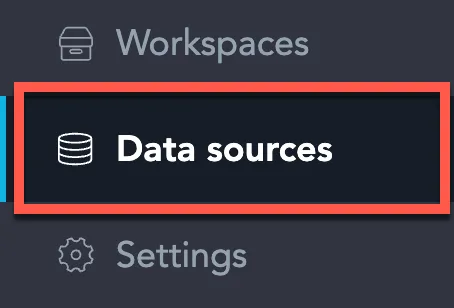
On the home page switch to Data sources.
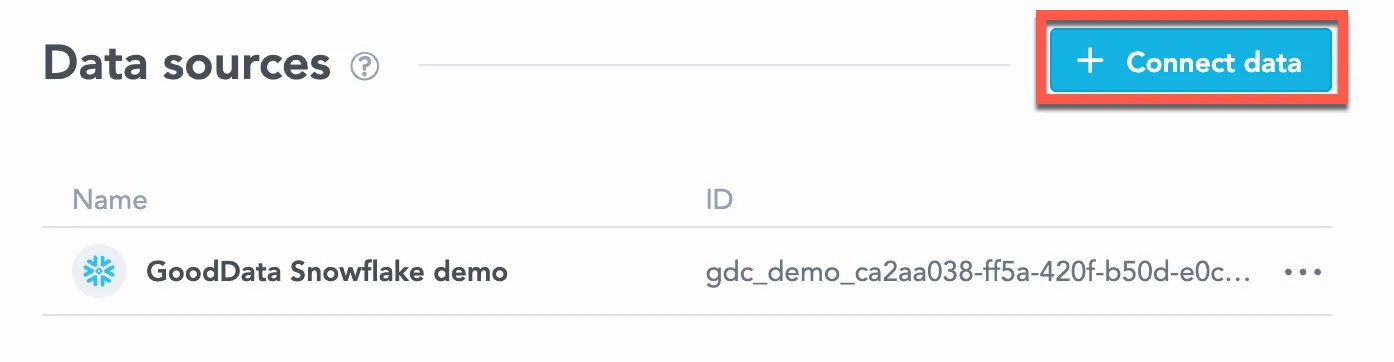
Click Connect data.
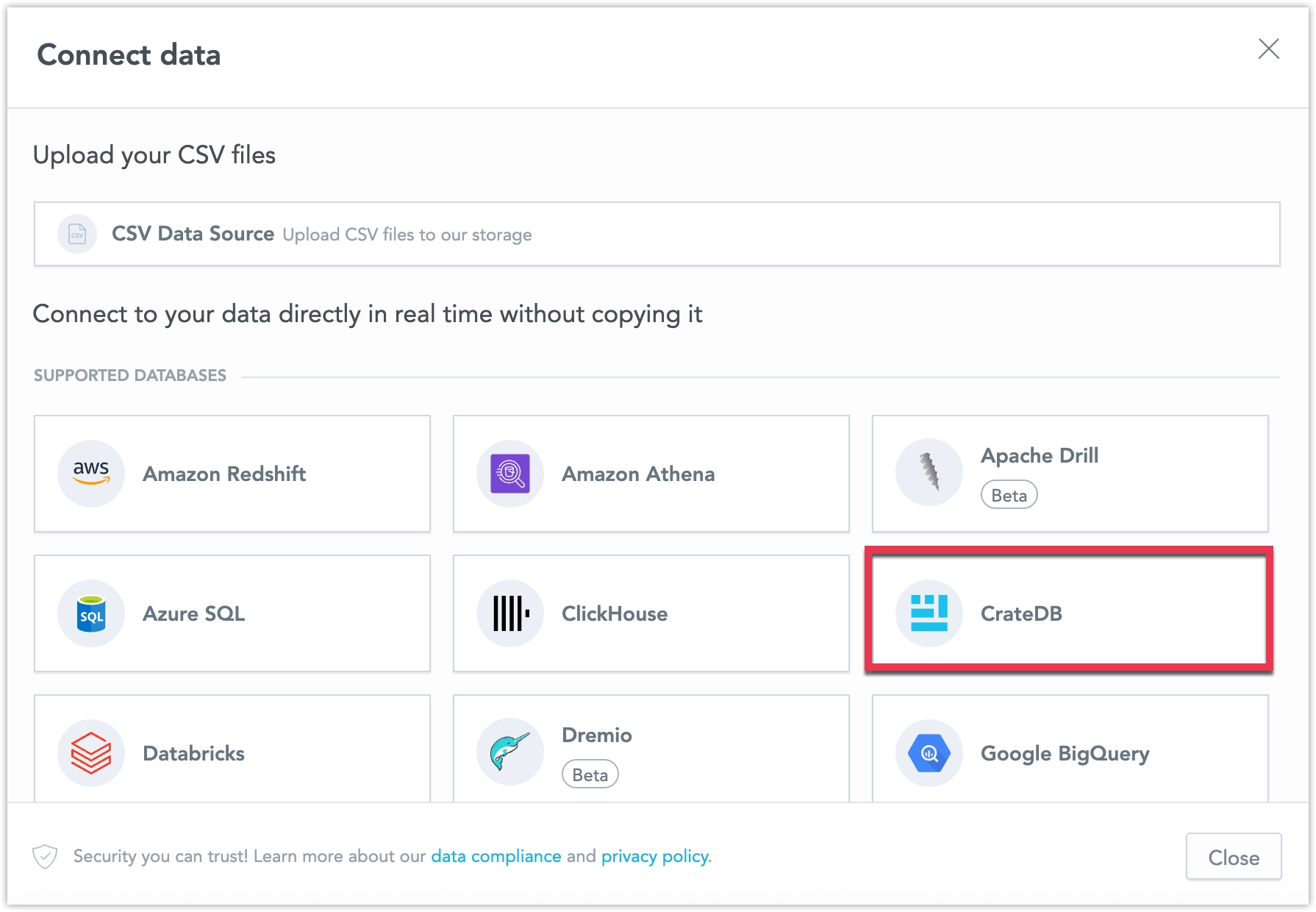
Select CrateDB.
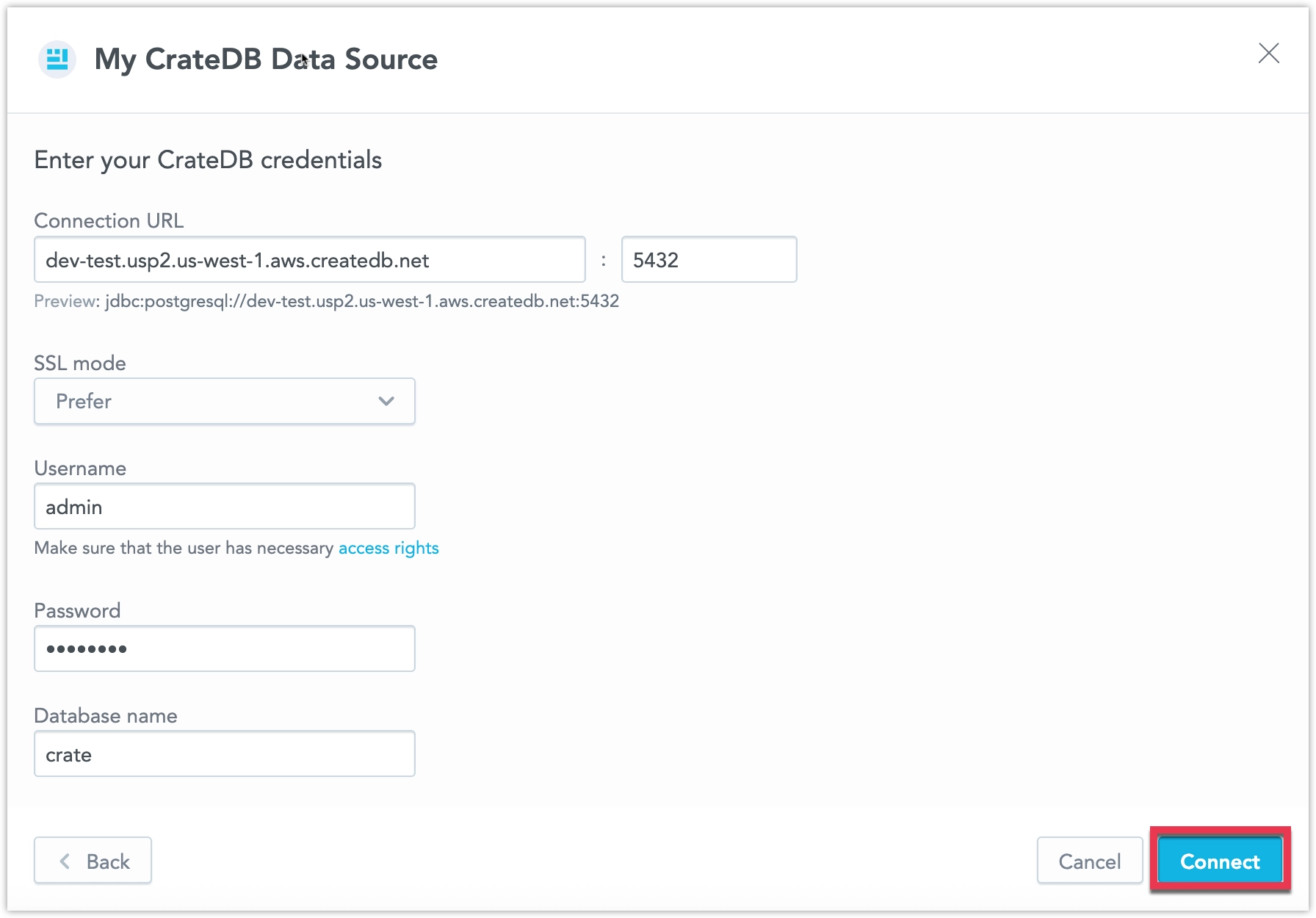
Name your data source and fill in your CrateDB credentials and click Connect:
Input your schema name and click Save:
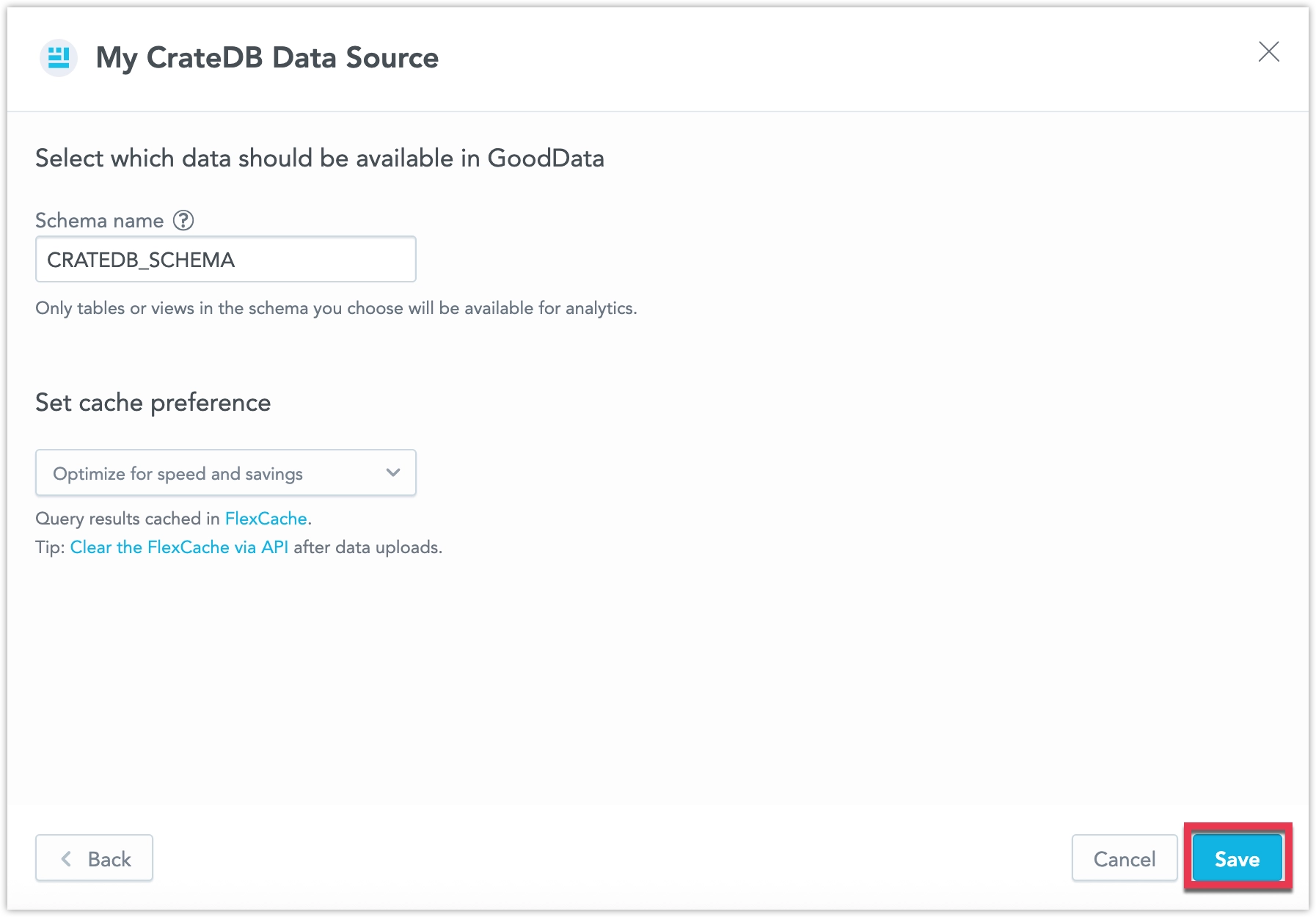
Your data source is created!
Steps:
Create a CrateDB data source with the following API call:
curl $HOST_URL/api/v1/entities/dataSources       -H "Content-Type: application/vnd.gooddata.api+json"       -H "Accept: application/vnd.gooddata.api+json"       -H "Authorization: Bearer $API_TOKEN"       -X POST       -d '{
    "data": {
    "type": "dataSource",
    "id": "<unique_id_for_the_data_source>",
    "attributes": {
      "name": "<data_source_display_name>",
      "url": "jdbc:postgresql://<CRATEDB_HOST>:5432/<CRATEDB_DBNAME>",
      "schema": "<CRATEDB_SCHEMA>",
      "type": "CRATEDB",
      "username": "<CRATEDB_USER>",
      "password": "<CRATEDB_PASSWORD>"
    }
    }
  }' | jq .
To confirm that the data source has been created, ensure the server returns the following response:
{
  "data": {
    "type": "dataSource",
    "id": "<unique_id_for_the_data_source>",
    "attributes": {
      "name": "<data_source_display_name>",
      "url": "jdbc:postgresql://<CRATEDB_HOST>:5432/<CRATEDB_DBNAME>",
      "schema": "<CRATEDB_SCHEMA>",
      "type": "CRATEDB",
      "username": "<CRATEDB_USER>"
    }
  },
  "links": {
    "self": "$HOST_URL/api/v1/entities/dataSources/<unique_id_for_the_data_source>"
  }
}
Create a CrateDB data source with the following API call:
from gooddata_sdk import GoodDataSdk, CatalogDataSource, BasicCredentials

host = "<GOODDATA_URI>"
token = "<API_TOKEN>"
sdk = GoodDataSdk.create(host, token)

sdk.catalog_data_source.create_or_update_data_source(
    CatalogDataSourcePostgres(
        id=data_source_id,
        name=data_source_name,
        db_specific_attributes=PostgresAttributes(
            host=os.environ["CRATEDB_HOST"],
            db_name=os.environ["CRATEDB_DBNAME"]
        ),
        schema=os.environ["CRATEDB_SCHEMA"],
        credentials=BasicCredentials(
            username=os.environ["CRATEDB_USER"],
            password=os.environ["CRATEDB_PASSWORD"],
        ),
    )
)
Additional Information
Ensure you understand the following limitations and recommended practice.
Data Source Details
The JDBC URL must be in the following format:
jdbc:postgresql://<host>:<port>/<databaseName>Basic authentication is supported. Specify
userandpassword.GoodData uses up-to-date drivers.
Unsupported Features
GoodData does not support the following functions:
Percent_rankVAR(onlyVARP– population variance – is available)CORRELCOVARCOVARPCUME_DISTINTERCEPTRSQ
CrateDB supports only approximate percentile / median computation.
Performance Tips
If your database holds a large amount of data, consider the following practices:
Index the columns that are most frequently used for JOIN and aggregation operations. Those columns may be mapped to attributes, labels, primary and foreign keys.
Define partitioning to improve performance of visualizations that use only the recent data.
This feature strongly relies on the version of your CrateDB database, so check the official user documentation for your version.
Query Timeout
The default timeout value for queries is 160 seconds. If a query takes longer than 160 seconds, it is stopped. The user then receives a status code 400 and the message Query timeout occurred.
Query timeout is closely related to the ACK timeout. For proper system configuration, the ACK timeout should be longer than the query timeout. The default ACK timeout value is 170 seconds.
Permitted parameters
- adaptiveFetch
- adaptiveFetchMaximum
- adaptiveFetchMinimum
- allowEncodingChanges
- ApplicationName
- assumeMinServerVersion
- autosave
- binaryTransferDisable
- binaryTransferEnable
- cleanupSavepoints
- connectTimeout
- currentSchema
- defaultRowFetchSize
- disableColumnSanitiser
- escapeSyntaxCallMode
- gssEncMode
- hostRecheckSeconds
- loadBalanceHosts
- loginTimeout
- logUnclosedConnections
- options
- preferQueryMode
- preparedStatementCacheQueries
- preparedStatementCacheSizeMiB
- readOnly
- reWriteBatchedInserts
- socketFactory
- socketTimeout
- ssl
- sslmode
- sslpassword
- sslpasswordcallback
- targetServerType
- tcpKeepAlive