Create an Amazon Athena Data Source
Follow these steps to connect to Amazon Athena and create an Amazon Athena data source:
Refer to Additional Information for additional performance tips and information about Amazon Athena feature support.
Configure User Access Rights
We recommend creating a dedicated IAM role or user specifically for integrating with GoodData.
Amazon Athena does not manage database users in the same way as traditional databases. Access is controlled entirely through AWS Identity and Access Management (IAM) and permissions to underlying data stored in Amazon S3 and metadata stored in AWS Glue.
Athena permissions
At minimum, the IAM principal must be able to execute queries in the Athena workgroup used by the connection.
Required actions:
athena:StartQueryExecutionathena:GetQueryExecutionathena:GetQueryResults
These permissions should be granted for the specific Athena workgroup the queries run in. Additional Athena permissions may be required for metadata discovery (for example, listing databases or tables), depending on your configuration.
Amazon S3 permissions
Athena queries data directly from S3 and writes query results back to S3.
Required permissions:
For S3 buckets containing queried data:
s3:ListBuckets3:GetObject
For the S3 bucket used for Athena query results:
s3:PutObjects3:GetObject- (Often also
s3:ListBucket, depending on bucket layout and prefixes)
AWS Glue Data Catalog permissions
Athena uses AWS Glue as its metadata catalog.
Glue permissions are often the hardest to configure correctly. Permissions typically must be granted at all levels of the catalog hierarchy:
- Catalog
- Database
- Table
Granting access to a table alone may not be sufficient if the database or catalog permissions are missing.
Refer to the official AWS documentation for example IAM policies and guidance:
Create an Amazon Athena Data Source
Once you have configured your Amazon Athena access rights, you can proceed to create an Amazon Athena data source that you can then connect to.
Steps:
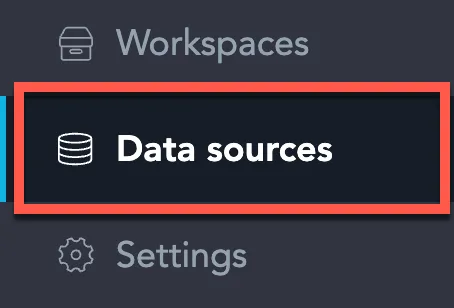
On the home page switch to Data sources.
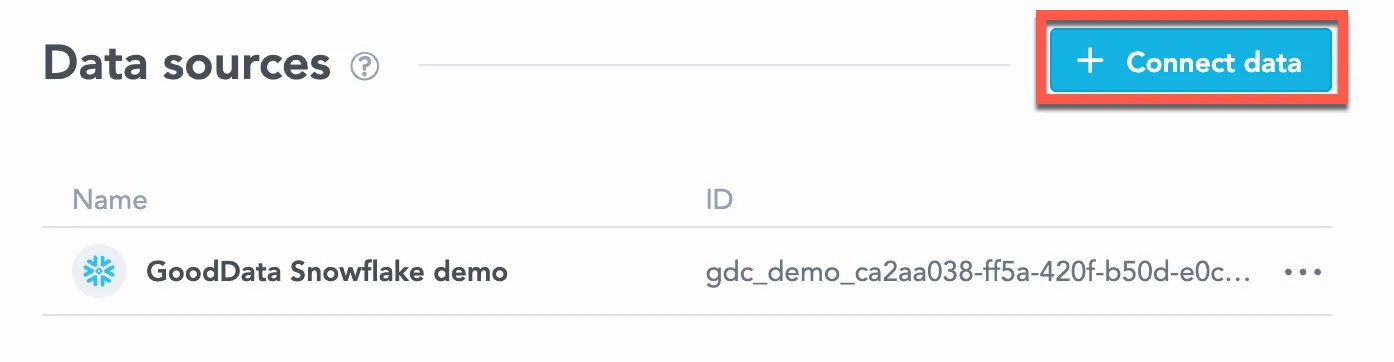
Click Connect data.
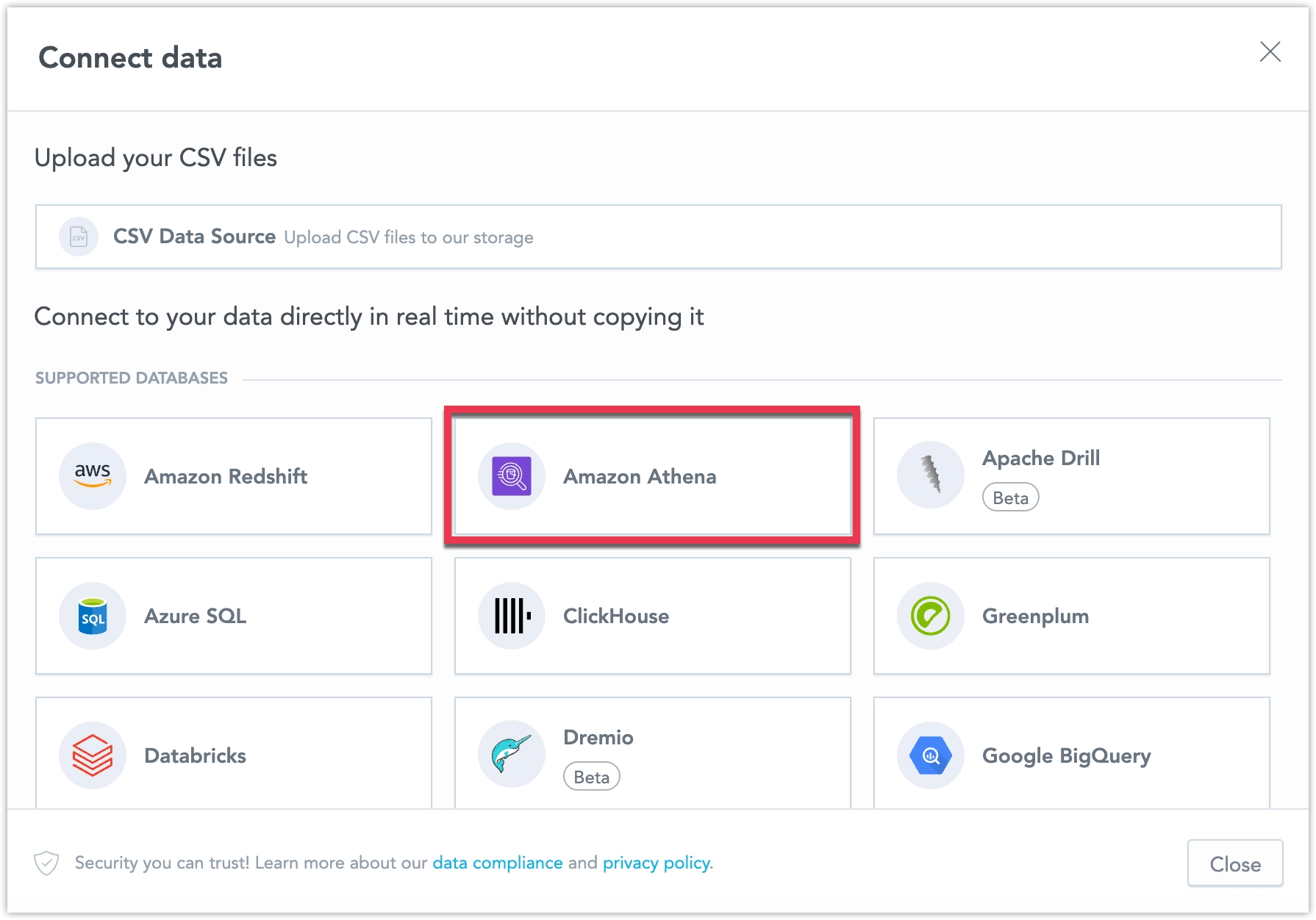
Select Amazon Athena.
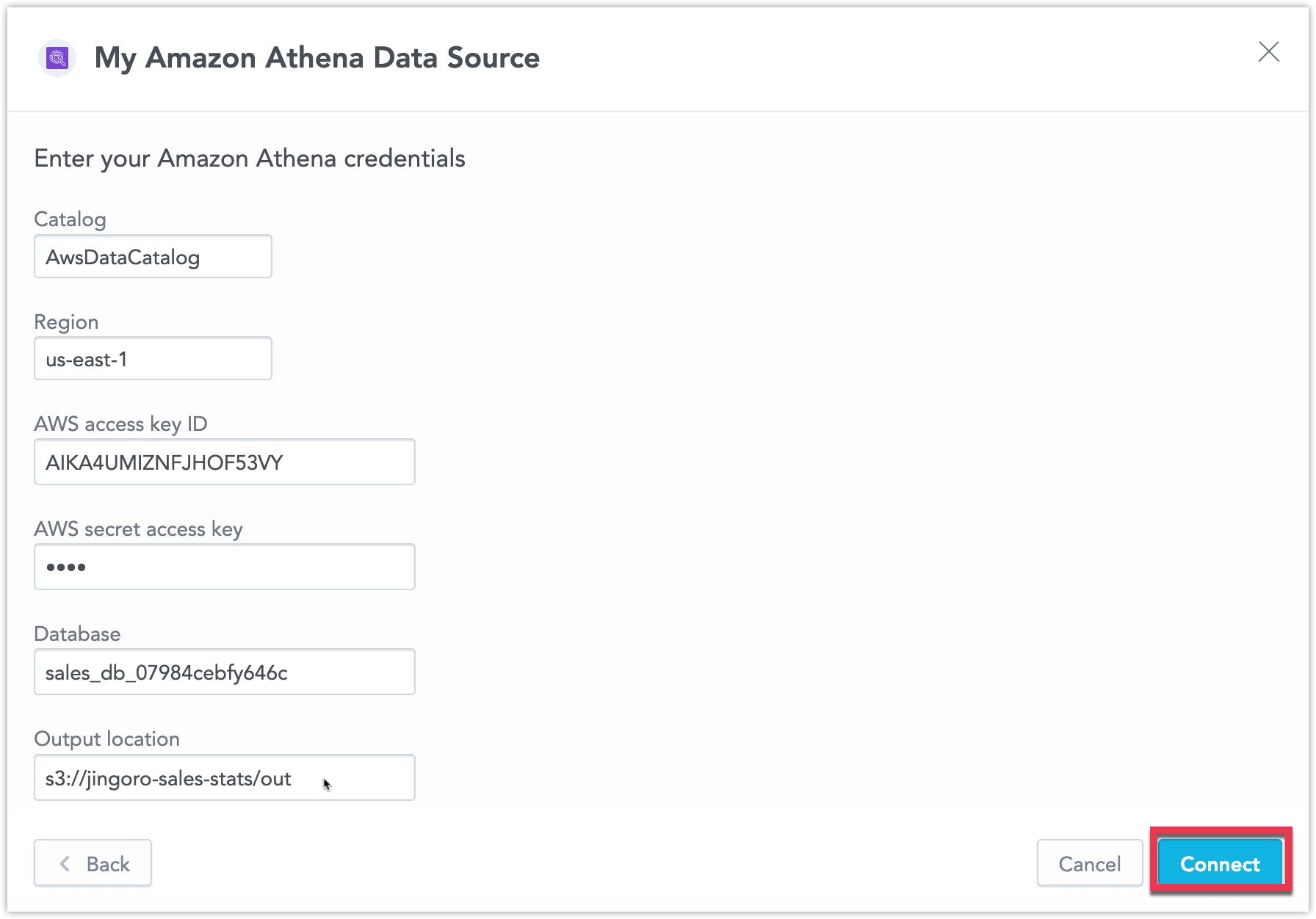
Name your data source and fill in your Amazon Athena connection details and click Connect.
Your data source is created!
Steps:
- Create an Amazon Athena data source with the following API call:
curl $HOST_URL/api/v1/entities/dataSources \
  -H "Content-Type: application/vnd.gooddata.api+json" \
  -H "Accept: application/vnd.gooddata.api+json" \
  -H "Authorization: Bearer $API_TOKEN" \
  -X POST \
  -d '{
    "data": {
      "type": "dataSource",
      "id": "<unique_id_for_the_data_source>",
      "attributes": {
        "name": "<data_source_display_name>",
        "url": "jdbc:awsathena://AwsRegion=<AWS_REGION>",
        "schema": "<ATHENA_DATABASE>",
        "type": "ATHENA"
      }
    }
  }' | jq .
from gooddata_sdk import GoodDataSdk
host = "<GOODDATA_URI>"
token = "<API_TOKEN>"
sdk = GoodDataSdk.create(host, token)
sdk.catalog_data_source.create_or_update_data_source(
CatalogDataSourceAthena(
id=data_source_id,
name=data_source_name,
schema=os.environ["ATHENA_DATABASE"],
db_specific_attributes=AthenaAttributes(
region=os.environ["AWS_REGION"],
s3_output_location=os.environ["ATHENA_S3_OUTPUT"],
),
)
)Additional Information
Data Source Details
- JDBC URL format:
jdbc:awsathena://AwsRegion=<region> - Authentication is IAM-based.
- If GoodData runs on AWS with an attached IAM role, no static credentials are required.
- If GoodData runs outside AWS, IAM credentials or role assumption must be configured according to your deployment.
Unsupported Features
- Statistical functions:
regr_slope,regr_intercept,covar_samp,corr,regr_r2 - Statistical running functions:
stdev,stdevp,var,varp - Window functions with unbounded beginning of frames
- Showing missing values in visualizations
Known Issues and Limitations
- Weekly same period year comparisons are not supported.
- The Show all values feature is limited to a maximum of 50,000 rows.
- Amazon Athena may normalize string comparisons depending on data format and SerDe configuration.
Performance Tips
- Use columnar formats such as Parquet or ORC.
- Partition data in S3 by commonly filtered columns.
- Select only required columns.
- Avoid complex joins on large unpartitioned datasets.
Query Timeout
GoodData applies a default query timeout of 160 seconds for Amazon Athena queries.