Object Certification
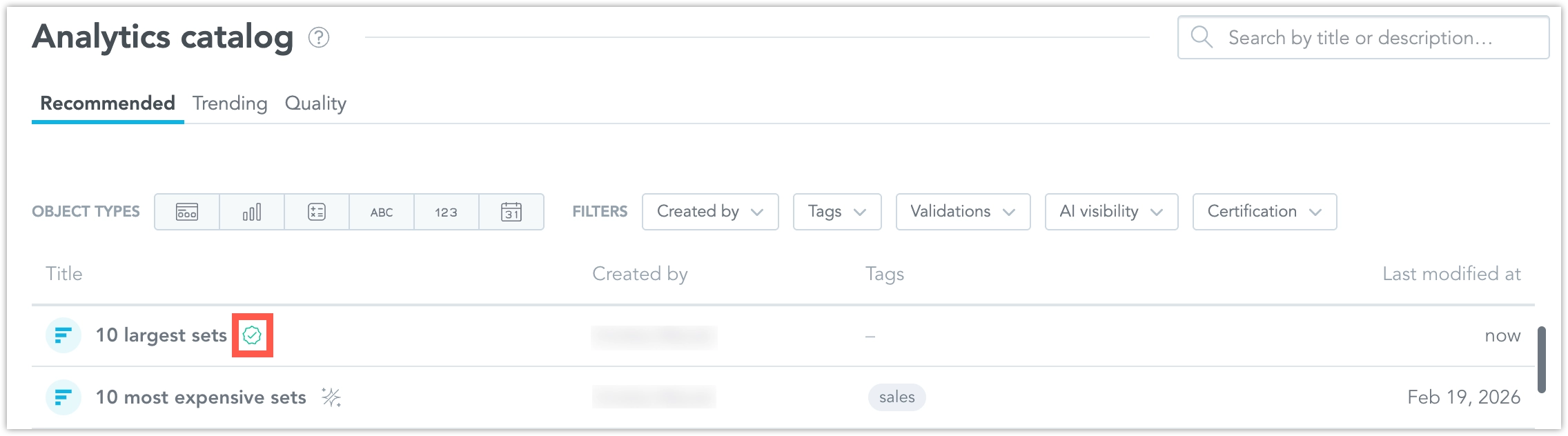
Certification in the Analytics Catalog helps teams identify trusted metrics, visualizations, and dashboards. It complements lineage by showing which objects are approved for business use and which objects are inherited from a parent workspace.
Certification applies only to metrics, visualizations, and dashboards.
Certification Levels
The Analytics Catalog supports these certification levels:
- User object: the default state for objects that are not certified
- AI generated: an object created by AI
- Certified: an object certified in the current workspace
- Inherited: an object certified in a parent workspace and inherited into the current workspace
Certification does not propagate through dependencies. Certifying one object does not certify any upstream or downstream objects that use it.
Set Certification Status
Users with the Workspace.MANAGE (and higher) permission can set or change the certification for metrics, visualizations, and dashboards.
- Open the Analytics Catalog.
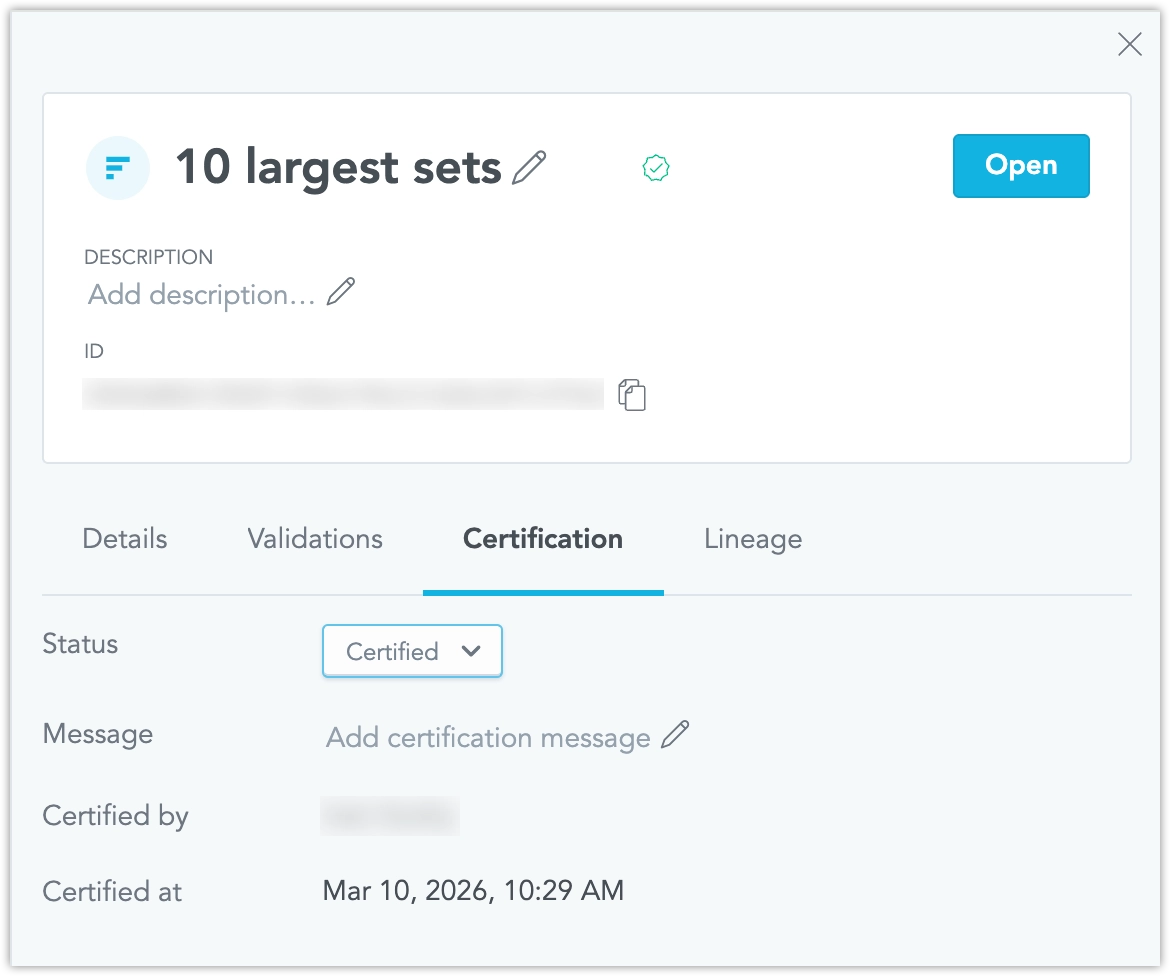
- Select a metric, visualization, or dashboard to open its object detail page.
- Set the certification status.
- Save the change.
The system records who last changed the certification and when it was changed.
If you revoke the certification, the object returns to its previous state or to User object when no other certification applies.
View Certification Details
Business users can see certification in both the object list and the object detail.
- Certified objects show a certification badge.
- Inherited objects show a different badge to indicate that the certification comes from a parent workspace.
- Object details show who last changed the certification and when, for example:
Certified by Jane Doe on 15 Feb 2026.
If an object is inherited from a parent workspace, it is shown as certified from the parent. In that case, the certification cannot be changed in the child workspace.
Filter by Certification
You can filter the Analytics Catalog by certification status to find trusted content faster.
This is useful when you want to:
- find approved metrics, visualizations, or dashboards
- avoid duplicate or competing versions of the same business concept
- focus on inherited or certified content as your source of truth
This is an experimental feature that is still under active development. Its behavior may change in future releases.